Create content from prompts
Describe the lesson you want: topic, audience, and goal, and the assistant proposes structured blocks you can insert or refine.
The ScormStack AI Assistant works alongside you in the slide editor, helping you plan, write, and improve courses through natural conversation instead of complex menus.
With the AI course assistant, ScormStack turns course building into a guided conversation, helping your team produce better learning content in less time.
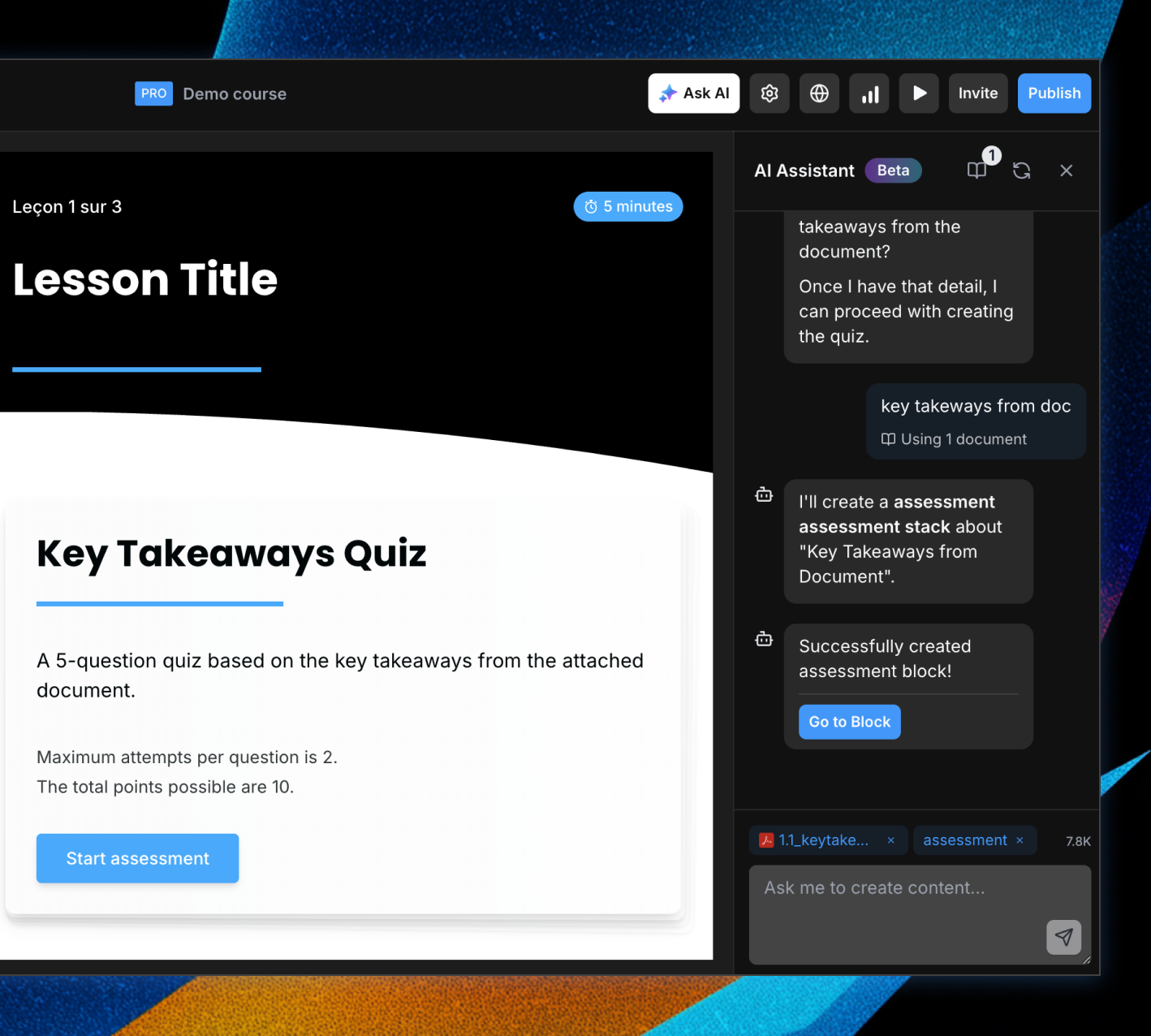
Describe the lesson you want: topic, audience, and goal, and the assistant proposes structured blocks you can insert or refine.
Ask the assistant to improve a block, suggest a better layout, add examples, or rephrase explanations based on what's already on the page
Because the assistant understands the current course and slide, suggestions feel tailored instead of generic
Upload slide decks, PDFs, and other reference documents into a dedicated course knowledge panel so the assistant can learn from your real content.
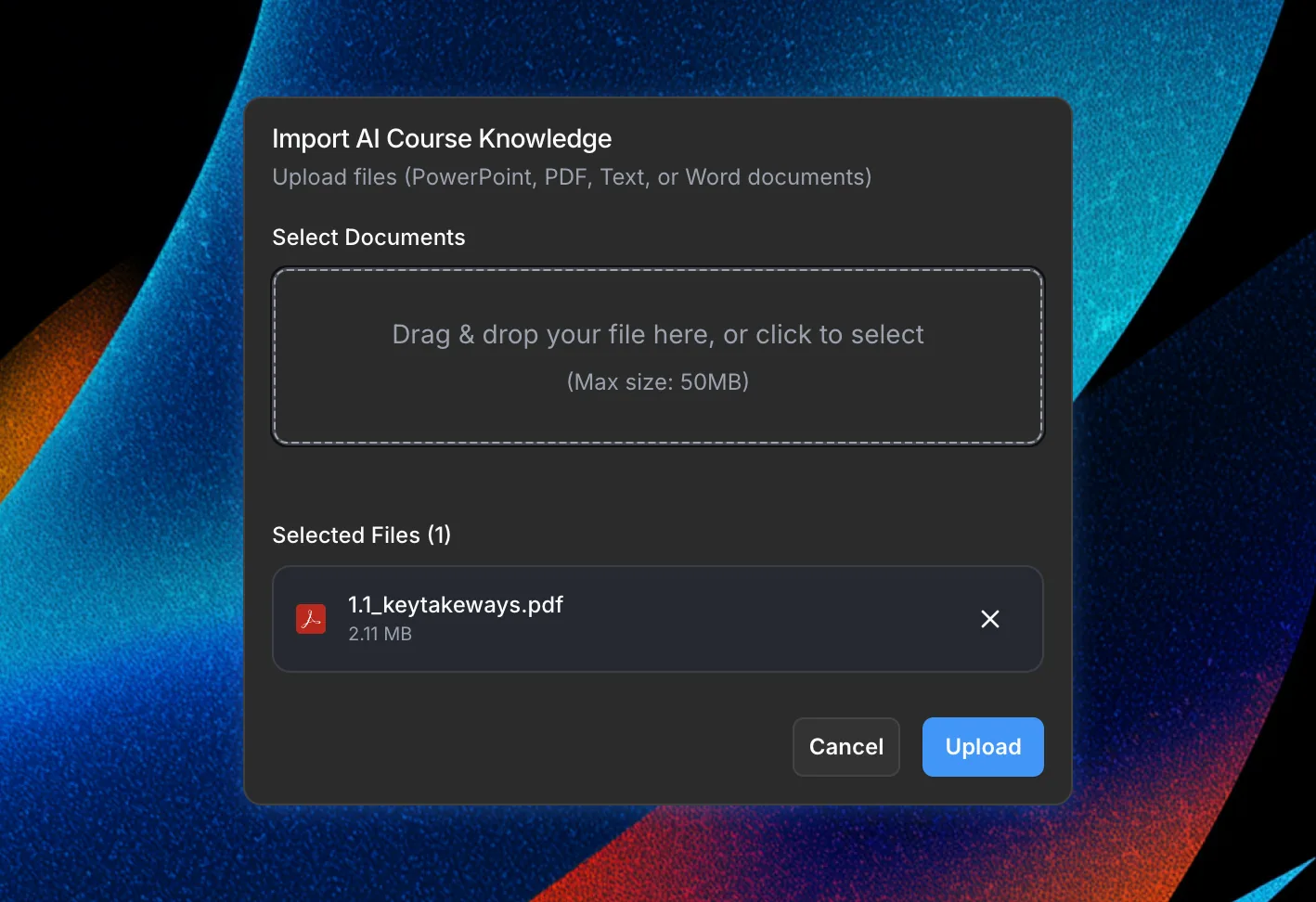
Upload slide decks, PDFs, and other reference documents into a dedicated course knowledge panel so the assistant can learn from your real content
Have the assistant summarize sections, suggest learning objectives, or turn source material into structured lessons and assessments
Knowledge stays tied to each course, so answers stay focused on the right brand, program, and audience
Join thousands of e-learning professionals and teams who've made the switch to ScormStack to turn ideas into high-performing courses, fast.
Start for free30 days free, no credit card required