"ScormStack saved us thousands compared to other authoring tools. The interface is intuitive and our team was productive from day one."
Madeleine Coetzer
Learning & Development Manager, IUCN

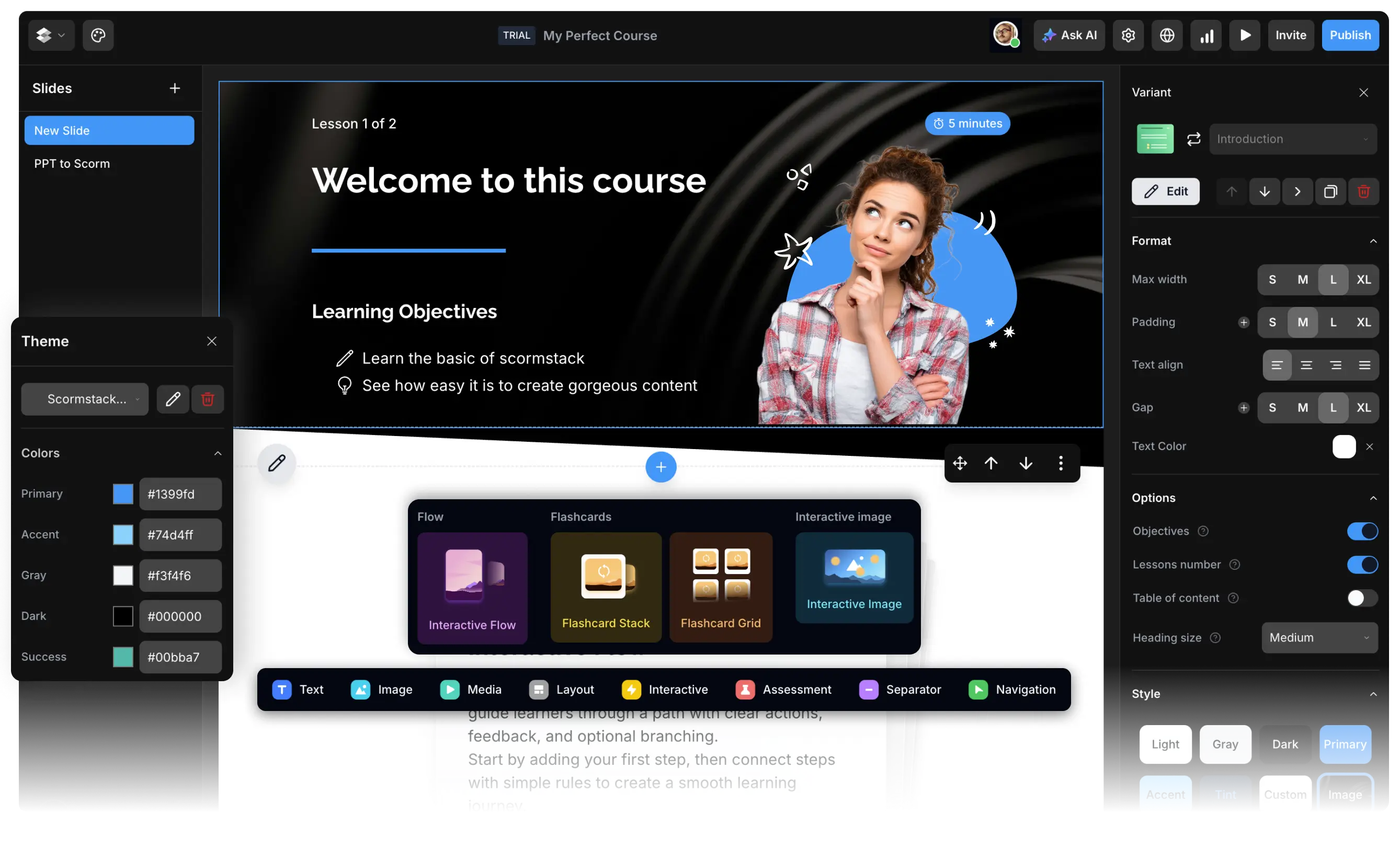
Powerful blocks for every learning need
From simple text to interactive assessments, create learning experiences that captivate your audience.

Course introduction
Create engaging course introductions with learning objectives, duration estimates, and beautiful layouts that set the tone for your content.

Rich text
Craft compelling text content with flexible layouts. From simple paragraphs to complex multi-column designs that engage your learners.

Images
Showcase stunning visuals with advanced image blocks. Create galleries, add captions, and design immersive visual experiences.

Video
Embed videos from YouTube, Vimeo, or upload your own. Create multimedia learning experiences with customizable players.

Audio
Add podcasts, narration, or audio content to your courses. Perfect for auditory learners and multimedia experiences.

Assessments & quizzes
Build interactive quizzes and assessments with multiple question types. Track progress and provide instant feedback.

Accordion
Organize content in collapsible sections. Perfect for FAQs, detailed explanations, and structured information.

Tabs
Organize content in tabbed sections for easy navigation and clean presentation.

Interactive Flow
NewCreate step-by-step interactive experiences that guide learners through complex processes.

Flashcards
NewCreate interactive flashcards for memorization and review. Perfect for vocabulary, definitions, and key concepts.

Interactive Image
NewCreate clickable hotspots on images for interactive exploration and detailed explanations.

Custom code
Embed custom HTML, CSS, or JavaScript code and integrate with SCORM API (soon).

Resources
Provide downloadable resources and external links for additional learning materials.

Separator
Add visual separation between content sections with customizable dividers.

Navigation Button
Add navigation controls to guide learners through your course content.

Callouts
Highlight important information with eye-catching callout boxes. Draw attention to key concepts and critical details.

Fill in the Blank
Create interactive fill-in-the-blank exercises to test comprehension and recall.

Matching
Create matching exercises where learners connect related items between two columns.

Click on Image
Create interactive image-based assessments where learners click on specific areas.

Success Meter
Create a success meter to track the progress of your learners.

Web Simulation
Create a web simulation to guide through a website or application.

PDF Viewer
Display PDF files with page-by-page navigation, keyboard controls, and download options.

Categorization
NewCategorize items into different categories.

Time Requirements
NewSet time requirements for your course.
Work with your team and clients
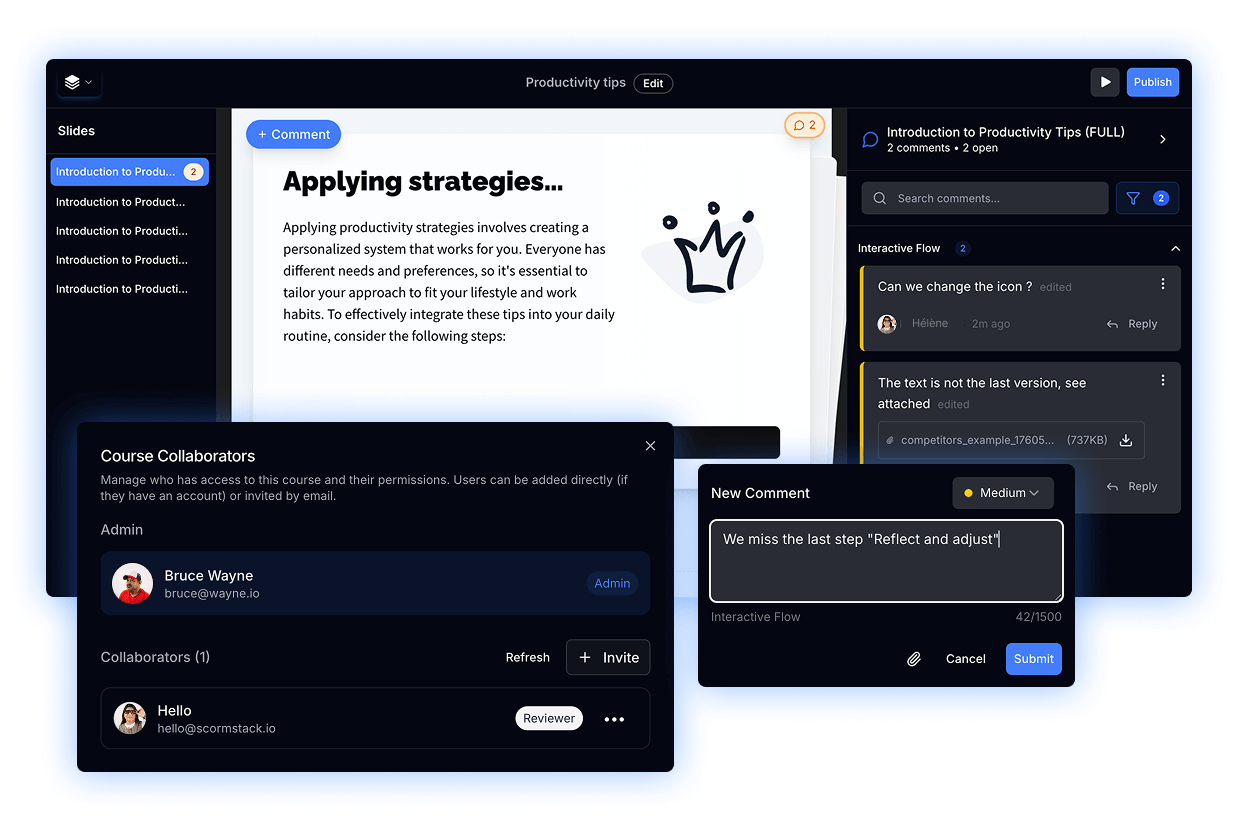
Invite team members to work together on courses. Assign roles, track changes, and build better content with your team.
Review Panel
Interface to review courses and add comments for your team
Invite Collaborators
Invite team members to edit or review your courses
Custom Permissions
Set the right access for every role—control who can design, edit, and publish
Real-Time Collaboration
Work together in real time—every change syncs immediately
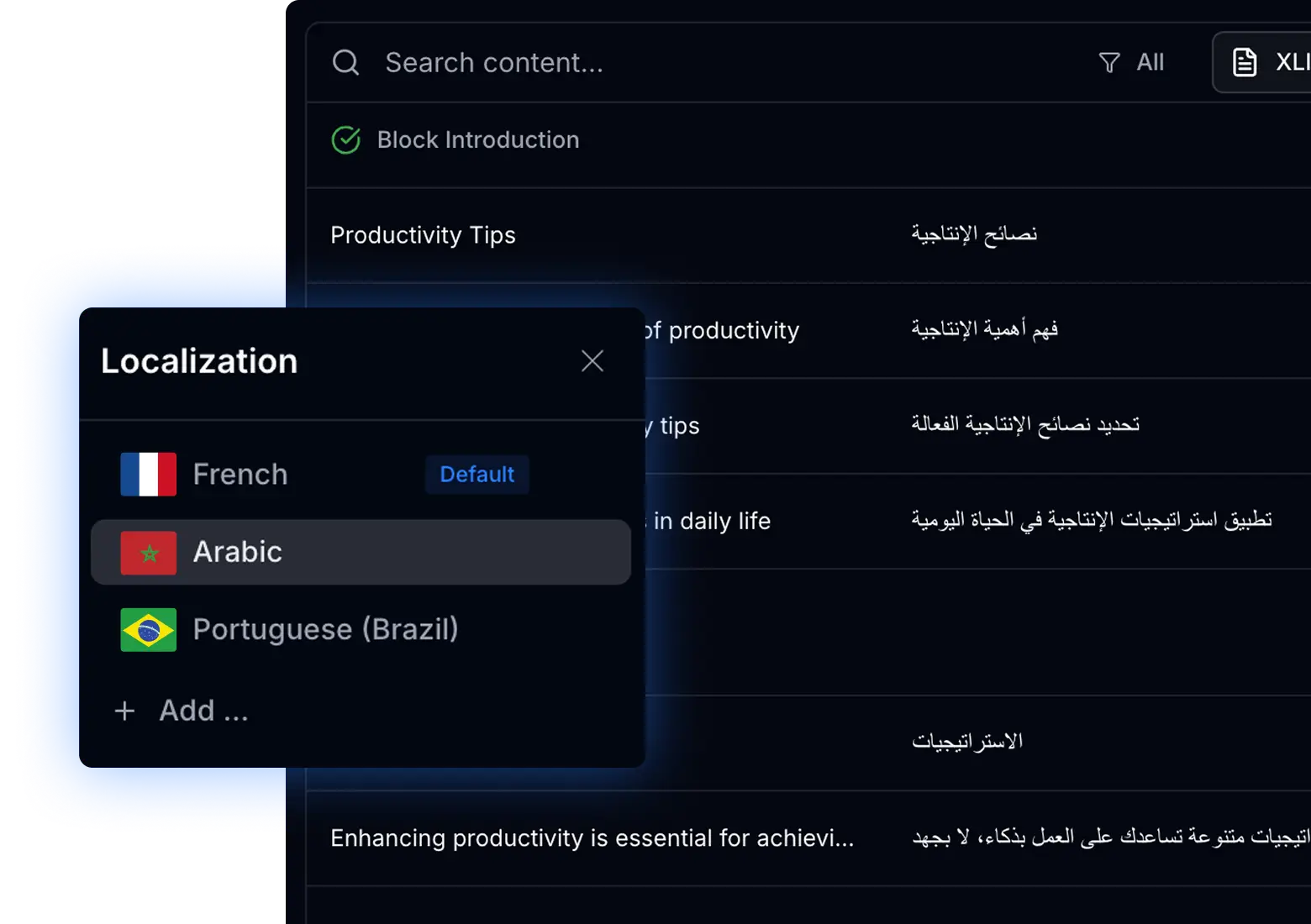
Multilingual courses
Reach learners worldwide by creating multilingual courses. Add unlimited languages and export each locale separately for your global audience.
XLIFF Export
Export to industry-standard format for professional translation (support 1.2, 2.0 and 2.1)
AI Translation
Quickly translate content with AI-powered assistance
Preview & Export
Preview each language and export separately
RTL Support
Full support for right-to-left languages like Arabic and Hebrew
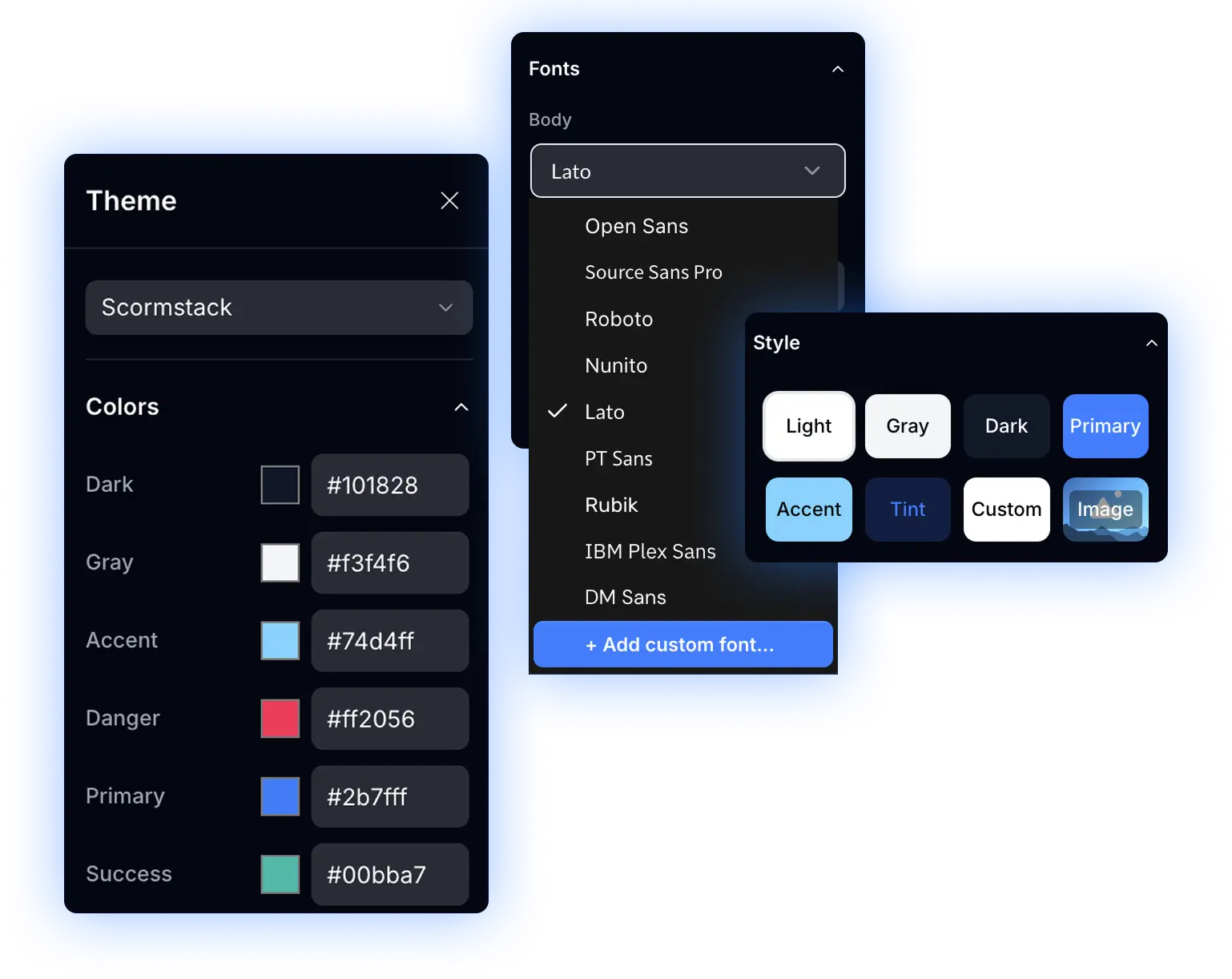
Brand your course with themes
Create your own branded themes with custom colors, fonts, and styles. Save and reuse them across all your courses for consistent branding.
Customize Brand Colors
Define your brand palette with custom colors for every element
Import Google Fonts
Access thousands of fonts to match your brand identity
Reuse Themes
Save and apply your themes across multiple courses instantly
Track Learner Progress
No LMS ? No problem. Distribute your course anywhere with public link or embedded iFrame and ScormStack will capture real learner progress without a traditional LMS.
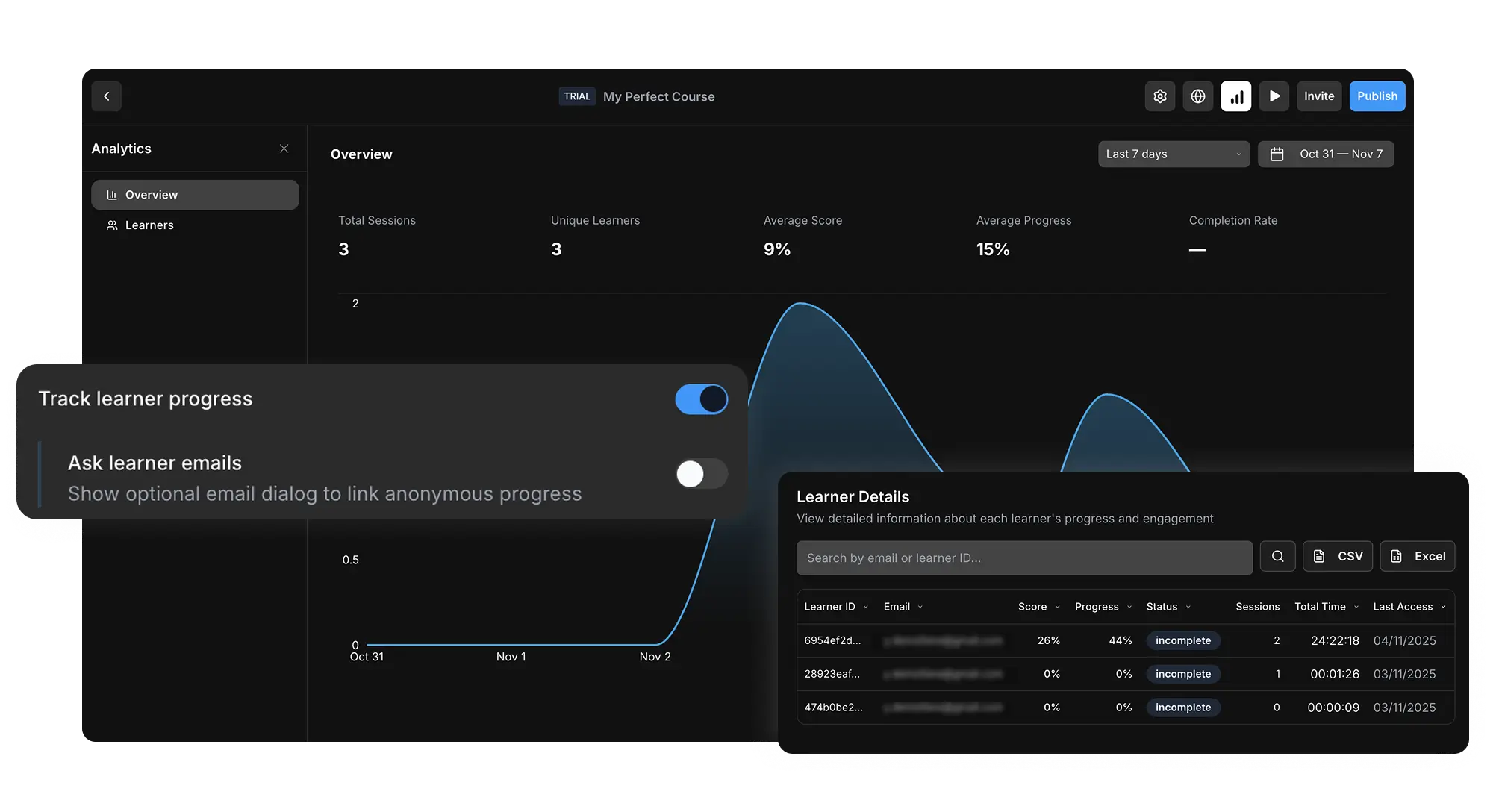
KPI Dashboard & Charts
Track sessions, unique learners, scores, progress, time spent, and completion rates with interactive charts
Optional Email Prompt
Identify learners with an optional email prompt to connect progress data to real users
Export & Search
Search, sort, and export learner data to CSV or Excel for further analysis
Frequently Asked Questions
Everything you need to know about ScormStack.

Start building in minutes
Join thousands of e-learning professionals and teams who've made the switch to ScormStack to turn ideas into high-performing courses, fast.